
How does Rotcop work?
Rotcop uses Apple’s Screen Time to lock the apps you pick. Once you hit your limit, every unlock costs steps, a wait, pushups or a friend’s approval.
-
Pick the suspects
Choose apps, whole categories or websites in Apple’s Screen Time picker. Rotcop never learns their names.
-
Write the sentence
Set a daily time limit, nightly lights-out hours, or both.
-
Get busted
Open a jailed app after your limit or during lights out and the Rotcop shield covers it.
-
Pay your bail
Walk 1,500 steps, wait 10 minutes, do 20 pushups or ask a friend. You get 15, 30 or 60 minutes back.
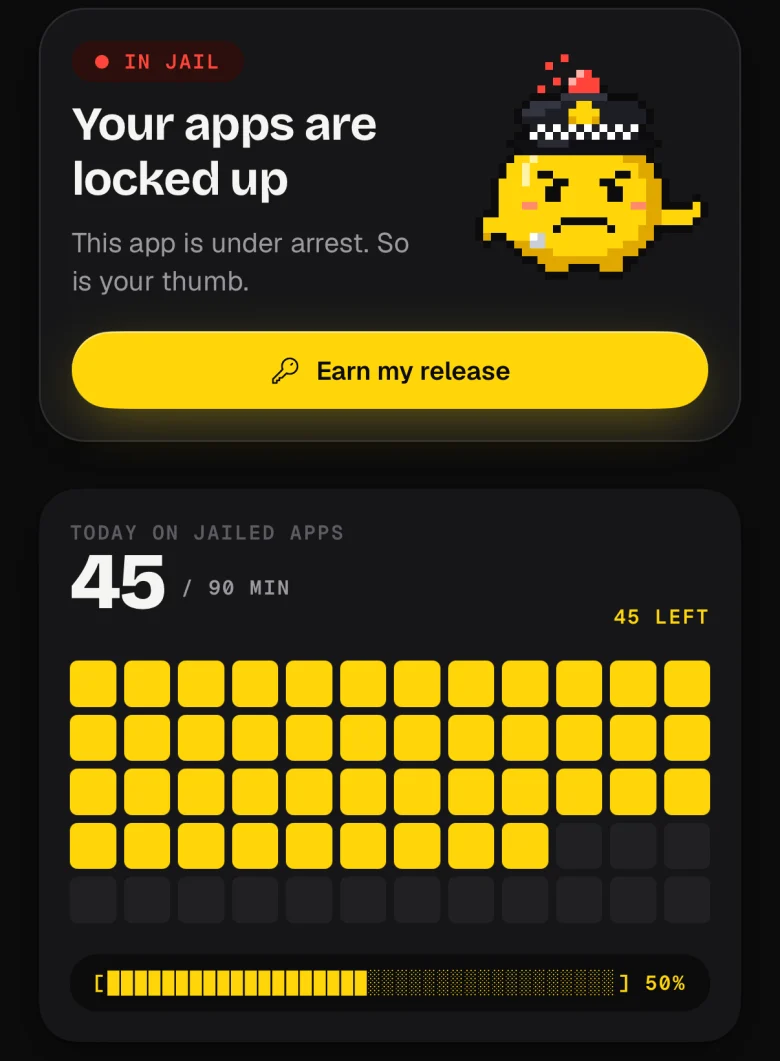
You write the sentence.
Pick the apps, the limit and the hours. Rot enforces it.
- Daily limit
- Hit it and jailed apps lock until midnight.
- Lights out
- Jailed every night between the hours you choose.
- Strict mode Pro
- No parole at night, however nicely you ask.
Four ways out of jail.
Pick one and watch it play out.

Phone in your pocket, then hit start. Only new steps count.
1,500of 1,500 steps
Released. 15 minutes of freedom.
Rotcop or Screen Time limits?
Screen Time limits warn you. Rotcop makes you pay. Both run on the same Apple system, so Rotcop never sees your app names.
| Feature | Screen Time limits | Rotcop |
|---|---|---|
| When the limit hits | A Time Limit screen | The Rotcop shield |
| Getting more time | One tap on Ignore Limit, unless someone else holds the passcode | 1,500 steps, a 10-minute wait, 20 pushups or a friend’s yes |
| How long it unlocks | 1 minute, 15 minutes or the rest of the day | 15, 30 or 60 minutes, then it locks again |
| At night | Downtime | Lights out, with no parole at all in strict mode |
| Friends | Not involved | Your crew can sign your parole |
| Your record | Usage charts | Ranks from Repeat Offender to Warden |
Every screen, straight from the app.
Captured on iPhone, not mocked up.
-
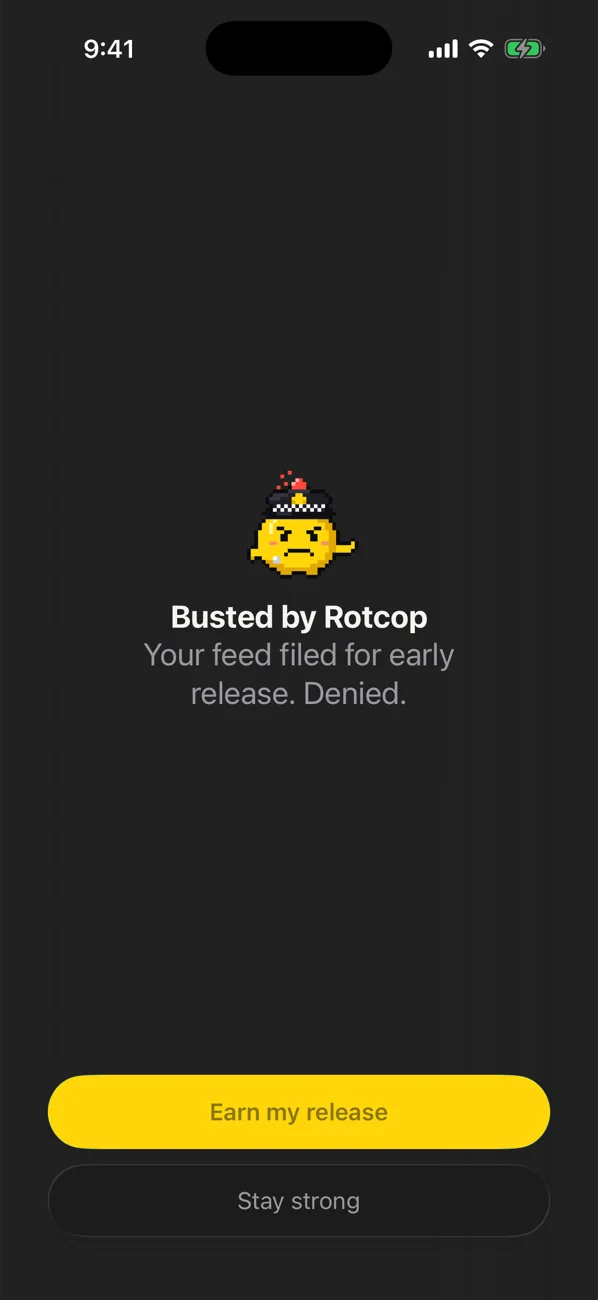
The shield on a jailed app -
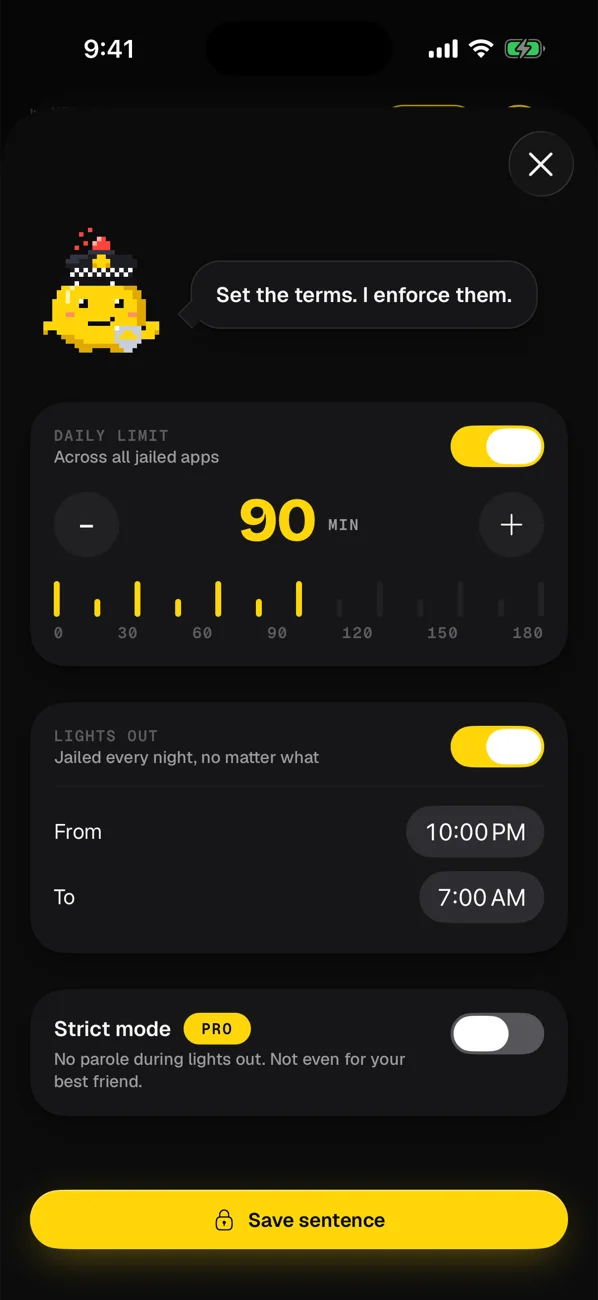
Your limit and lights-out hours -
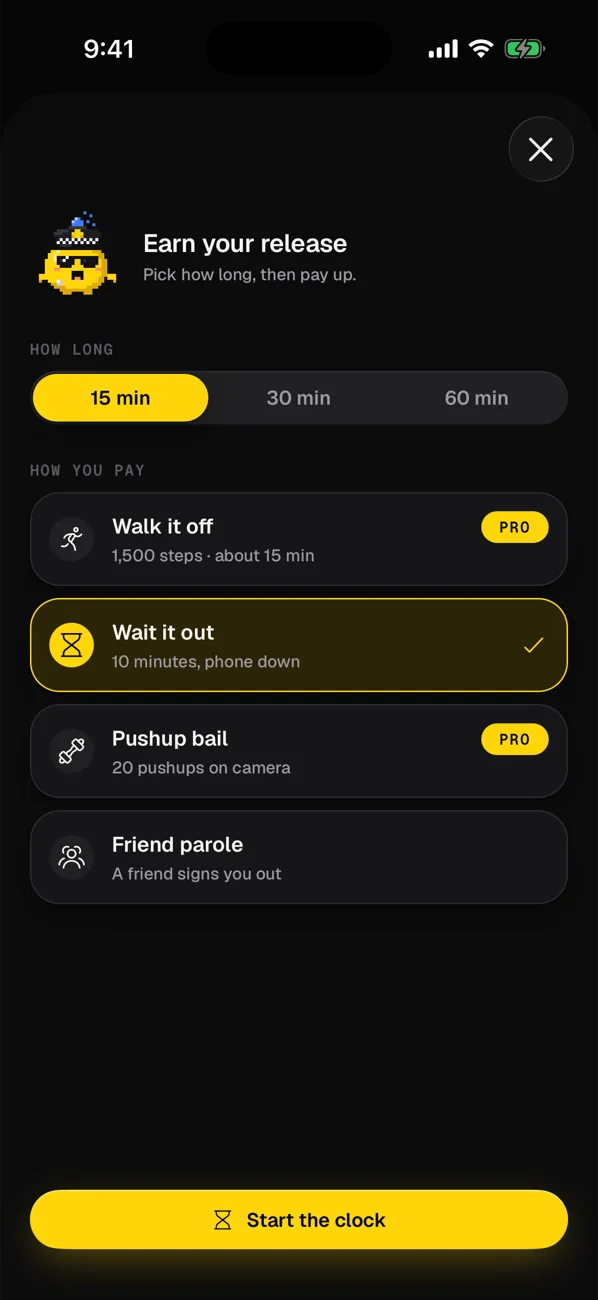
Pick how long and how you pay -
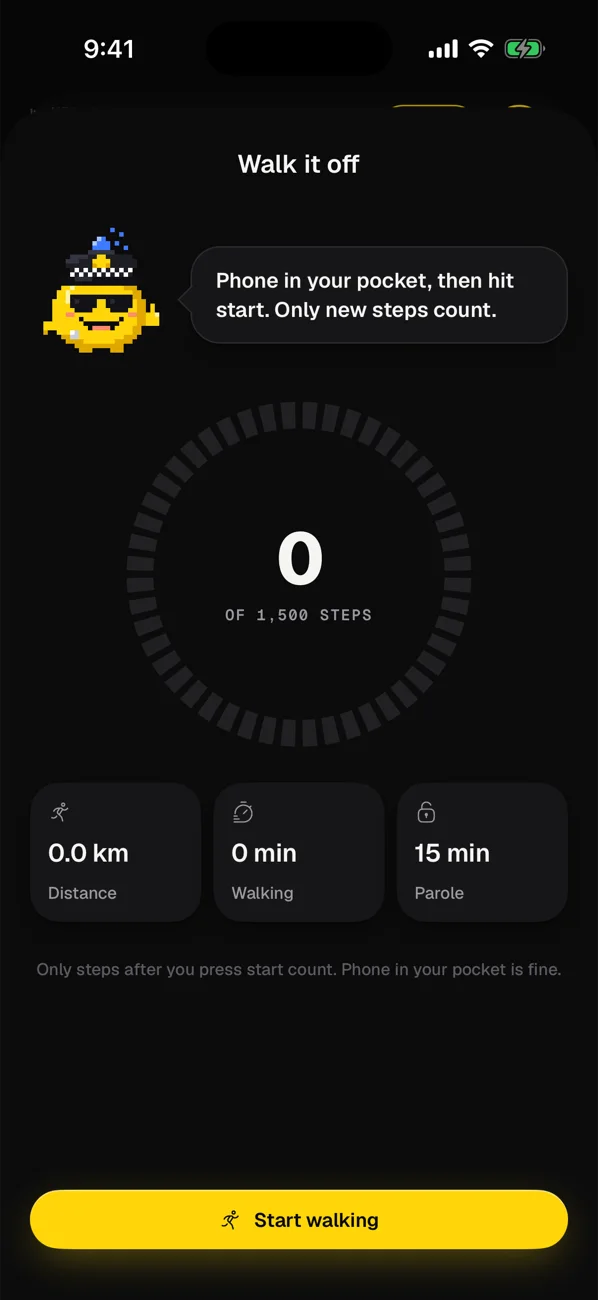
Walking it off, step by step -
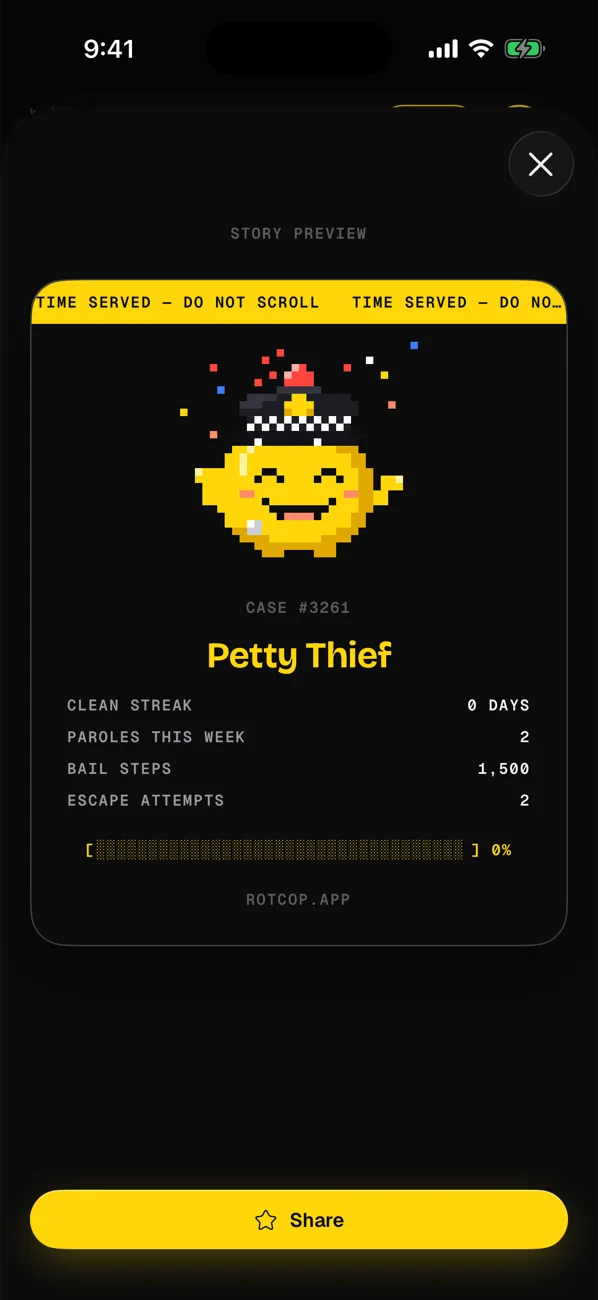
A share card for your story -
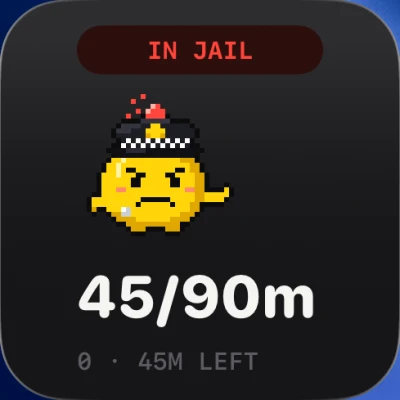
The Home Screen widget
Work your way up to Warden.
Paroles, pushups, steps and clean days all go on your record.
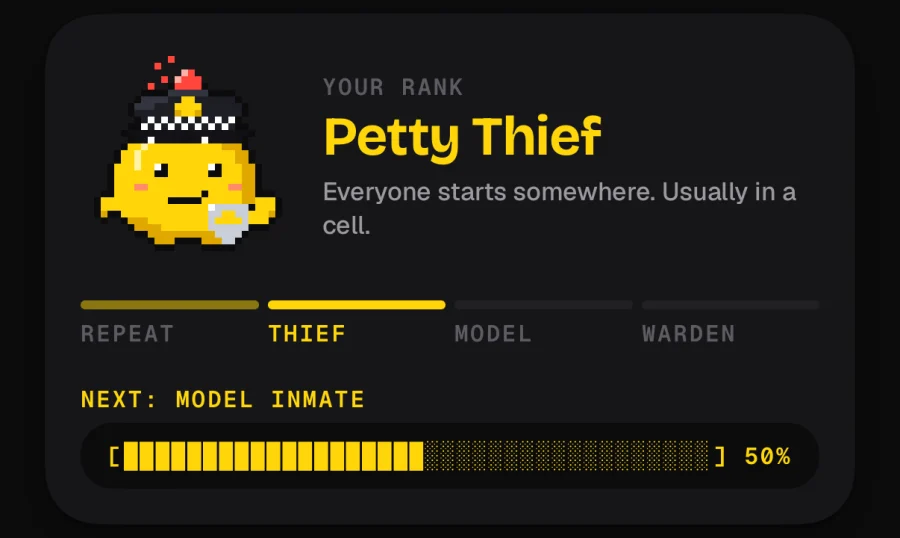
- Repeat Offender
- Petty Thief
- Model Inmate
- Warden
Rotcop can’t see which apps you jail.
- Apple keeps the list
- Screen Time shows Rotcop tokens, not names.
- The camera stays home
- Pushups are counted on the phone. No video leaves it.
- Delete it all
- One tap in Settings wipes your record.
Questions before you turn yourself in.
What is Rotcop?
Rotcop is an iPhone app blocker for doomscrolling. It locks the apps you pick with Apple’s Screen Time, and you earn them back by walking 1,500 steps, waiting 10 minutes, doing 20 pushups or getting a friend’s approval.
How does Rotcop block apps on iPhone?
It uses Apple’s Screen Time framework, the same system behind Downtime and App Limits. Locks stay on even when Rotcop is closed.
How is it different from Screen Time limits?
Screen Time lets you tap Ignore Limit and keep scrolling. Rotcop makes every unlock cost something: steps, a wait, pushups or a friend saying yes.
Is Rotcop free?
Rotcop is free to download, with Wait it out and Friend parole included. Rotcop Pro adds Walk it off, Pushup bail, strict mode, unlimited apps and schedules and your full record, monthly, yearly or once for life. Prices show in the App Store before you buy.
How long does an unlock last?
You choose 15, 30 or 60 minutes before you pay bail. When the time is up, the apps lock again.
Can I block websites too?
Yes. Jail single apps, whole app categories and websites.
Do I need an account?
No. Locks, limits and most bail work without one. Friend parole and your crew need a free account.
Can I just turn Rotcop off?
Yes. You can switch off its Screen Time access in iPhone Settings at any time. Rotcop calls that a jailbreak: it goes on your record and your crew hears about it.
Can Rotcop see which apps I use?
No. Apple gives Rotcop sealed tokens for the apps you pick, never their names, and the tokens stay on your iPhone. Pushups are counted on the phone and no video is saved or sent.
Is Rotcop a parental control app?
No. Rotcop is for locking your own phone. You set it up for yourself, and only you choose the rules.
Is Rotcop on Android?
No. Rotcop is for iPhone on iOS 18 or later.

Lock it up before tonight.
Rotcop is coming to iPhone. It needs iOS 18 or later.
Coming soon on theApp Store